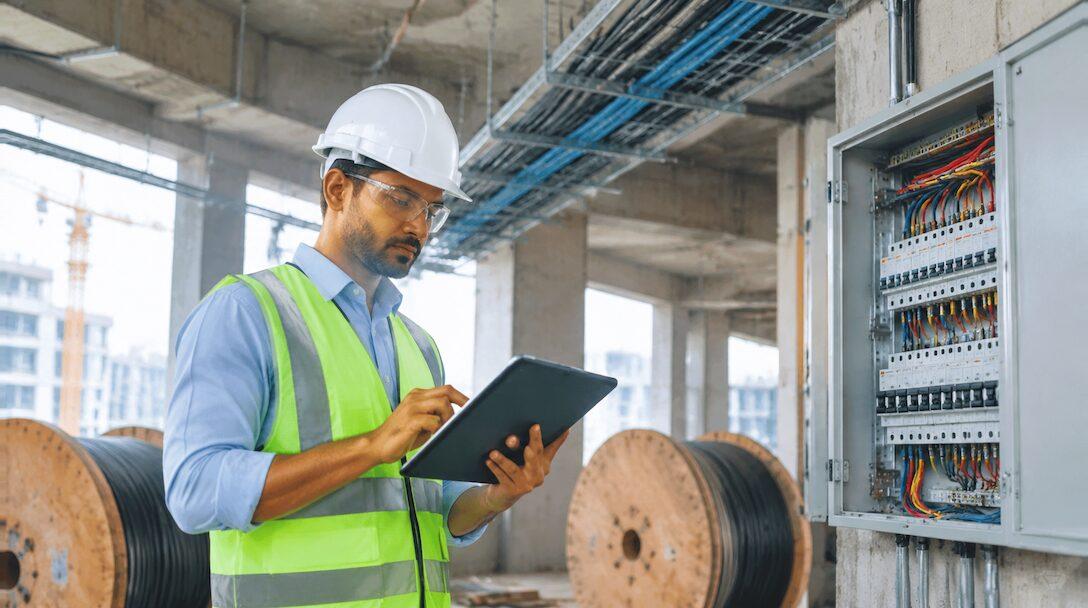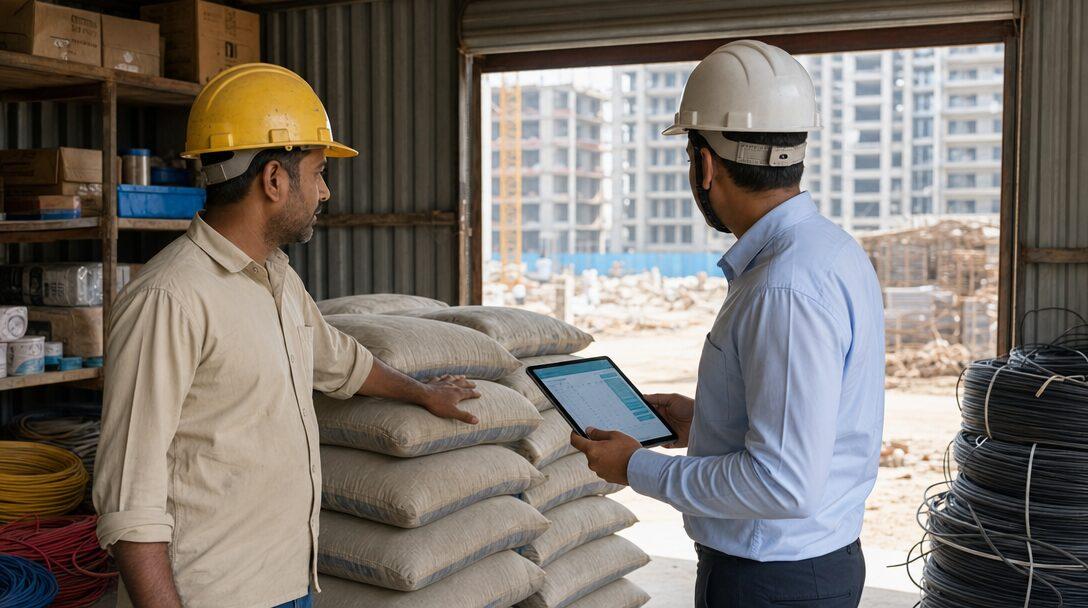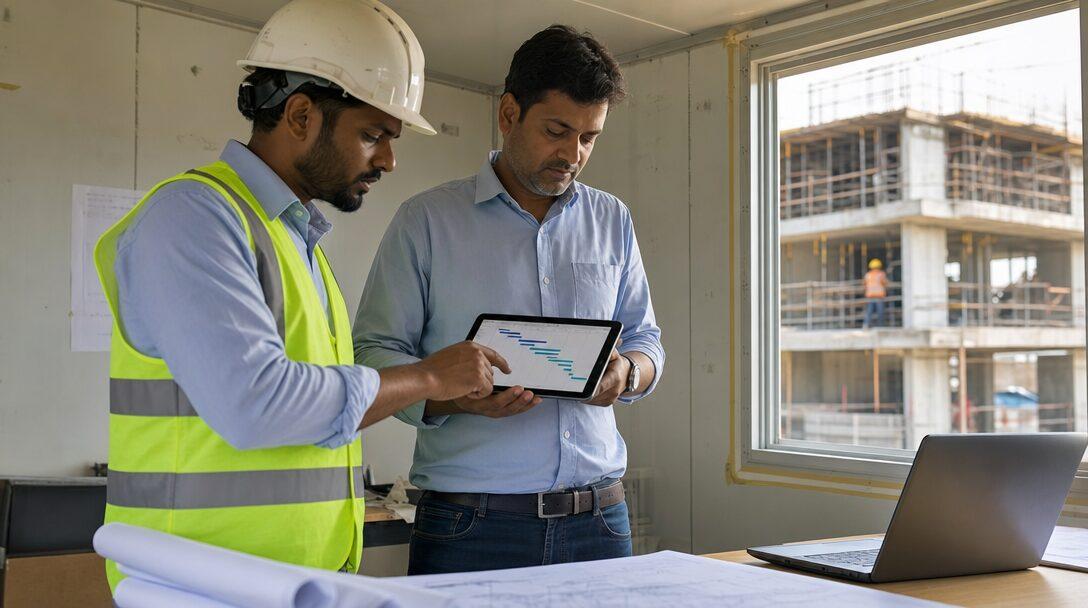

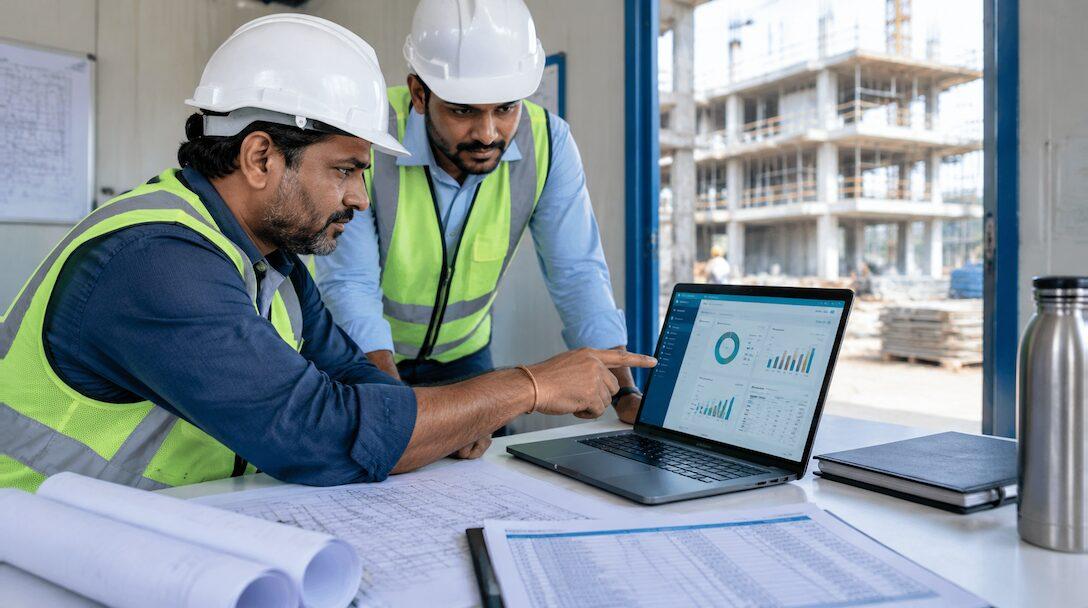
Picture a 120-person electrical and MEP contractor in Gurugram with seven live sites, a Tally file in head office, a BOQ spreadsheet per project and a WhatsApp group per site. The RA bill for each site takes a week of reconciling measurement sheets against the BOQ, and nobody can say which site lost money until the year-end accounts. Construction ERP software is meant to replace that patchwork with one set of records. This guide is for Indian contractors with 30-300 staff and several sites: MEP, electrical, civil, interiors and specialist subcontractors to EPC firms. It covers each module a contractor needs, what ERPNext v16 does as standard, and what has to be built. Metageeks implements ERPNext, so weigh our view with that in mind.
TL;DR
- A contractor's ERP has to follow one chain: BOQ, site budget, purchase, site stores, daily progress, measurement, RA bill, retention and payment, with project-wise P&L at the end.
- ERPNext covers Projects, Tasks, Timesheets, Material Requests, Stock Entries between site warehouses, budgets against a project, Buying, GST and TDS as standard.
- BOQ quantities, measurement sheets, RA bills against the BOQ, retention and a site DPR form are not standard in ERPNext. They are built as a custom app on the same database.
- Site apps track progress and labour well but do not keep your books. Global project tools are built around a separate accounting system.
- Implement in phases: accounts, purchase and stores first, then BOQ and RA billing, then every site.
Free ERPNext fit check
Will ERPNext fit your factory?
Answer a few quick questions. On a short call we tell you whether ERPNext fits how you make, stock and sell, and what the rollout looks like.
Check my fit →Why contractors outgrow Tally and Excel
Tally keeps the books. It does not know that 400 metres of cable on a purchase bill belongs to the third floor of one project, or that the client has accepted only 60% of a BOQ item. That knowledge sits in spreadsheets, and the spreadsheets drift from the accounts.
In the Gurugram example, the gaps look like this. Material moves from one site to another without a record, so both sites' costs are wrong. Labour contractors bill for headcount that nobody reconciled with the site diary. Retention held by the client is tracked in a separate sheet, if at all. And the profit of each project shows up months late, after it is too late to act.
Construction ERP software puts every transaction against a project: purchases, stock movements, labour, subcontractor bills and client bills. Our Tally vs ERPNext comparison covers where the line falls between the two. For a contractor, a useful test is whether you can produce one site's cost to date without opening a spreadsheet.
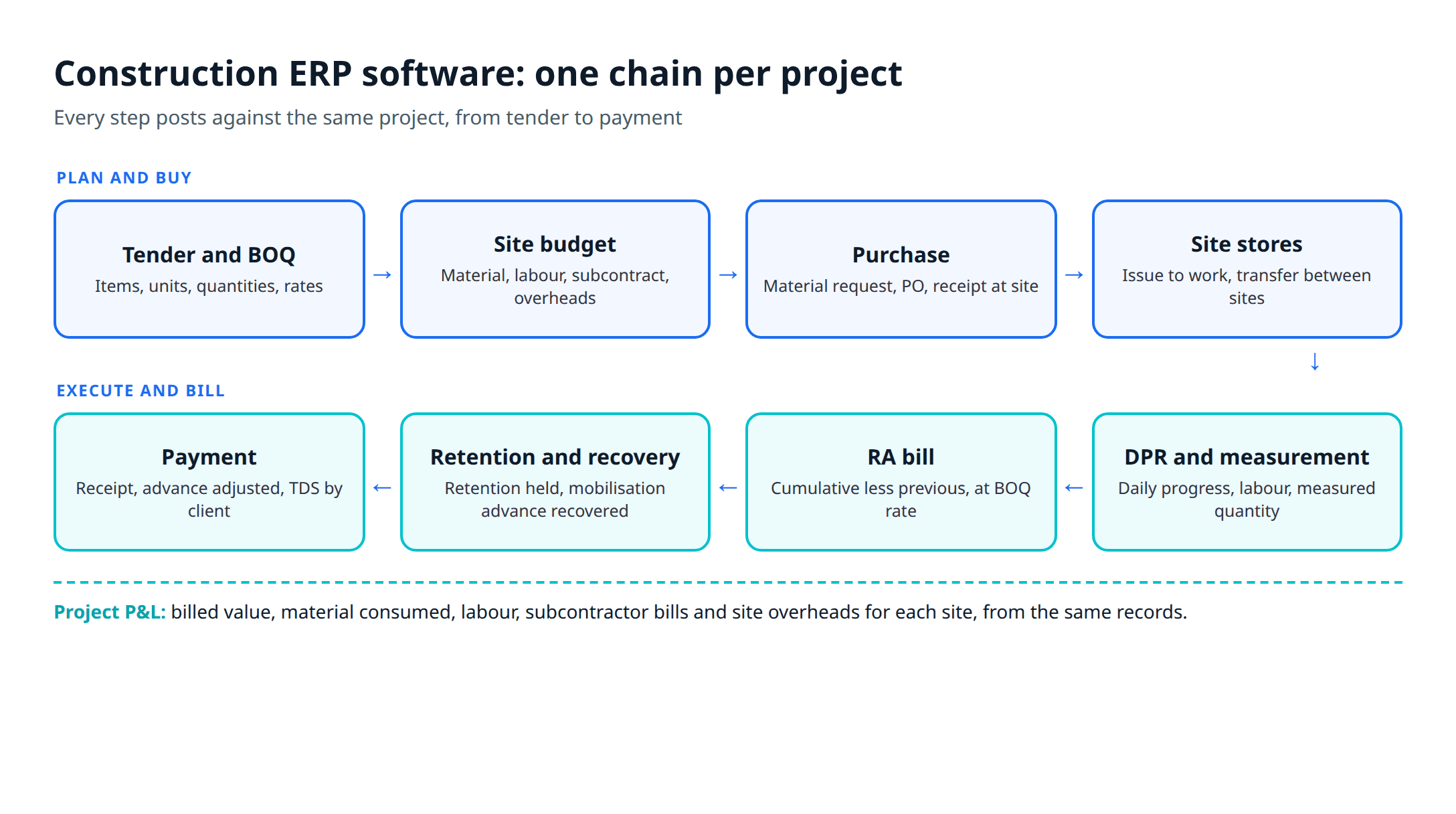
The modules a contractor needs, and what ERPNext does
For each module below: what the contractor needs, what ERPNext does as standard, and what has to be built. Everything marked standard is from Frappe's own ERPNext documentation.
BOQ and estimates
Need: the BOQ from the tender or work order, with item codes, descriptions, units, quantities and rates, often several hundred lines, plus revisions when the client adds or deletes items.
ERPNext standard: a Quotation and Sales Order can hold the BOQ lines as items with quantities and rates, and the Sales Order links to the Project. This works for a short BOQ.
Custom: a proper BOQ doctype with sections, client item numbers, non-tender items, revisions, and the executed and billed quantity against each line. This is the base the RA bill reads from, so it is the first thing we build.
Project and site budgets
Need: a budget per site by cost head (material, labour, subcontract, site overheads), with a warning before a purchase exceeds it.
ERPNext standard: Budgets can be set against a Project or a Cost Center, with a Stop, Warn or Ignore action when a Material Request, Purchase Order or actual expense crosses the limit. The Project form itself carries an estimated cost.
Custom: usually nothing, beyond a report that sets the BOQ value, the budget and the cost to date side by side.
RA bills with measurement sheets
Need: a running account bill each month: the measured quantity of each BOQ item to date, less previous bills, at the BOQ rate, with deductions for retention, advance recovery, materials supplied by the client and TDS. The measurement sheet behind it shows each item's length, breadth and depth by location.
ERPNext standard: a Sales Invoice can be raised against the Sales Order, with GST applied through India Compliance. It has no idea of cumulative quantity, previous bill or measurement. In our view the RA bill is where a construction ERP proves itself or fails, because it is the document that brings the money in.
Custom: a measurement sheet and an RA bill doctype that read from the BOQ, compute this bill's quantity as cumulative less previous, apply the deductions, and then create the Sales Invoice for the accounts. Our walkthrough from BOQ to RA bill in ERPNext shows the design step by step.
Retention and mobilisation advance recovery
Need: retention held by the client on each bill and released after the defects liability period, and a mobilisation advance recovered in instalments from each RA bill.
ERPNext standard: an advance Payment Entry records money received from the customer, optionally against the Sales Order, and can be allocated across several invoices with the unused balance kept open. That covers the accounting side of a mobilisation advance.
Custom: a retention ledger per project and per bill, a release schedule, and an automatic advance-recovery line on each RA bill based on the contract terms. Standard ERPNext has no retention feature.
DPR from site on mobile
Need: a daily progress report from each site engineer: work done by BOQ item, labour headcount by trade and labour contractor, material received and used, equipment, hindrances and photos.
ERPNext standard: Tasks with dependencies, parent tasks, expected dates, progress percentage and a Gantt view. ERPNext runs in the browser, so a site engineer can open forms on a phone. Frappe's open-source HR app adds a mobile app for attendance check-in and leave.
Custom: a single DPR form built for a phone screen, with photo upload, that feeds BOQ progress, labour counts and material consumption into the rest of the system. Keep it to one screen: the engineer fills it in at the end of the shift.
Site stores and inter-site transfers
Need: a store at each site, material requests from site, receipts against purchase orders at the site, issues to work, and transfers between sites.
ERPNext standard: site stores are where ERPNext fits best. Warehouses can be grouped in a tree, so each site is a warehouse under a "Sites" group. A Material Request can be raised for purchase or transfer and tagged to a project. Stock Entries handle material issue and transfer between warehouses, with Project available as an accounting dimension, and the Project form picks up the consumed material cost.
Custom: little beyond reports, such as BOQ quantity against material issued per item. Our post on construction material management software goes deeper on stores.
Labour and manpower by site
Need: staff and supervisors costed to sites, and daily headcount from labour contractors reconciled with their bills.
ERPNext standard: Timesheets record hours by project, task and activity type with costing rates, and feed the project's total costing amount. That suits engineers and supervisors on the payroll.
Custom: a contract labour register per site, filled from the DPR, that the labour contractor's bill is checked against.
Subcontractor work orders and bills
Need: work orders to subcontractors with their own BOQ and rates, their running bills with measurement, retention and TDS deducted.
ERPNext standard: a Purchase Order for service items, tagged to the project, and a Purchase Invoice with TDS applied through a Tax Withholding Category. ERPNext's Subcontracting module is for job work, where you send raw material and receive processed goods, so it suits a fabrication shop more than a labour subcontractor.
Custom: the mirror image of the client RA bill: a subcontractor bill with cumulative measurement, previous bills and retention, which then creates the Purchase Invoice.
Purchase
Need: quotes from vendors, purchase orders per site, delivery at site and three-way matching against the vendor's bill.
ERPNext standard: Buying covers Supplier Quotation, Purchase Order, Purchase Receipt and Purchase Invoice, with a project field on each. The Project form shows total purchase cost from purchase invoices against project purchase orders.
Custom: none for most contractors.
GST on works contracts and TDS
Need: correct GST on outward RA bills, input credit only where the law allows it, TDS deducted on subcontractor and vendor payments, and TDS deducted by the client on your own bills tracked.
ERPNext standard: GST invoices, e-invoices, e-way bills and returns through the free India Compliance app, and TDS through Tax Withholding Categories with per-transaction and cumulative thresholds.
Custom: usually configuration, not code. The tax rules themselves have exceptions that matter on works contracts, so we wrote them up separately in GST and TDS on works contracts.
Project-wise P&L
Need: profit per site, monthly, without waiting for the auditor.
ERPNext standard: Project and Cost Center are built-in accounting dimensions, and the Project form totals billed amount, timesheet cost, purchase cost, consumed material cost and expense claims into a gross margin.
Custom: a site P&L report that adds RA bills accepted by the client but not yet invoiced, retention receivable and subcontractor bills pending, so the margin reflects the work done, not only the invoices posted.
Construction ERP software in ERPNext: standard vs custom
| Module | ERPNext v16 standard | Needs a custom app |
|---|---|---|
| BOQ and estimates | Sales Order lines linked to Project | BOQ with sections, revisions, executed and billed quantity |
| Site budgets | Budget against Project, Stop or Warn on MR, PO, expense | BOQ vs budget vs cost report |
| RA bill and measurement | Sales Invoice with GST | Measurement sheet, cumulative RA bill, deductions |
| Retention and advance | Advance Payment Entry and allocation | Retention ledger, release schedule, recovery per bill |
| DPR | Tasks, Gantt, browser on mobile | Mobile DPR form with photos and labour counts |
| Site stores | Warehouse tree, Material Request, Stock Entry | Reports only |
| Labour | Timesheets with costing | Contract labour register from DPR |
| Subcontractor bills | Service PO, Purchase Invoice, TDS | Cumulative subcontractor RA bill |
| Purchase | Full Buying cycle with project | None |
| GST and TDS | India Compliance, Tax Withholding Category | Configuration |
| Project P&L | Project costing, accounting dimensions | Work-done margin report |
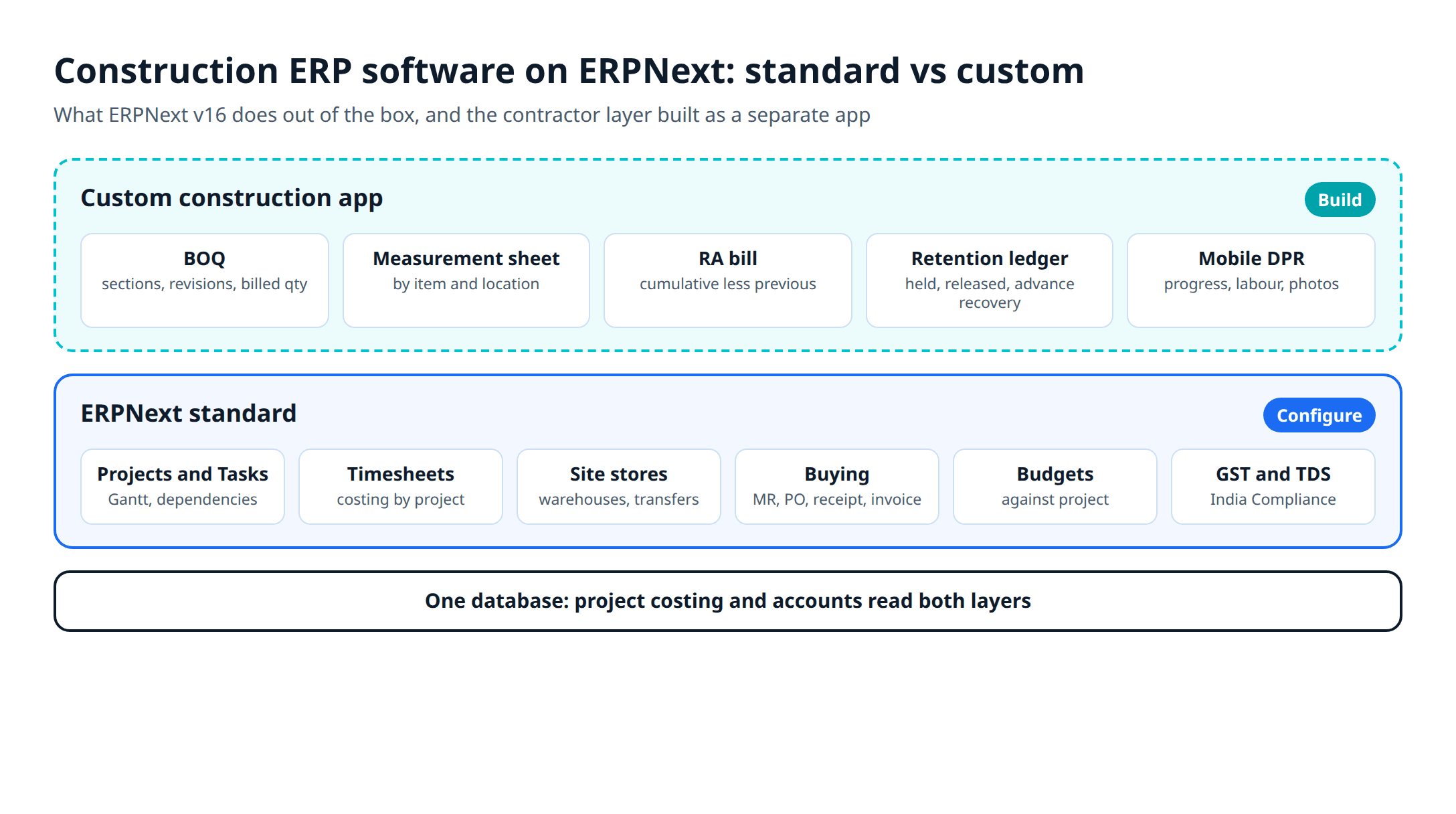
The custom layer is a separate Frappe app, not edits to ERPNext itself, so ERPNext can be upgraded without losing it. That is the work our ERPNext development team does. The app needs testing before each major ERPNext upgrade, and that belongs in the budget from day one.
Other options contractors look at
Metageeks does not sell any of these. Each description comes from the vendor's own page at the time of writing.
Site management apps: Powerplay, from a Bengaluru company, describes DPRs, site material with POs and GRNs, labour attendance and payroll, issue tracking and petty cash, aimed at owners, site engineers, contractors and subcontractors. Apps like this are quick to roll out to site teams. Ask whether it keeps your books or sits beside Tally, and how a client RA bill against the BOQ is produced.
Indian real-estate and construction ERPs: StrategicERP presents itself as a platform for the property and building sectors, and its site lists project planning, procurement, finance and accounting, site progress tracking, subcontractor management under MEP and RA billing under roads and railways. Ask for a demo of your own RA bill format and the per-user or per-module price in writing.
Global project platforms: Procore calls itself a connector for owners, main contractors and specialty contractors, with cost management and an app marketplace of integrations. It publishes no price on its home page. Tools in this class run the project and connect to a separate accounting system, so you still need one.
Tally plus add-ons and Excel: For a contractor with one or two sites, this can be enough. Our Tally alternatives post covers the accounting-first options, written for plants but just as relevant to contractors.
If your main pain is planning and scheduling rather than billing and cost, read construction project management software vs ERP first. And if you are an electrical or MEP firm, software for electrical and MEP contractors covers the trade-specific parts.
How to choose construction ERP software
- Bring one real BOQ and last month's RA bill for one site, with its measurement sheet, and ask each vendor to reproduce it.
- Ask how retention and mobilisation advance recovery appear on the bill and in the ledger.
- Ask a site engineer to fill a DPR on their own phone, on site, in under ten minutes.
- Transfer material from one site to another and check that both sites' costs change.
- Raise a subcontractor bill with TDS and retention, and see where it lands in the accounts.
- Ask for the project P&L of the test site, and check it against what you know.
- Get a written five-year cost: licence, hosting, implementation, custom work, support and upgrades on separate lines.
- Ask who owns the data and what export you get if you leave.
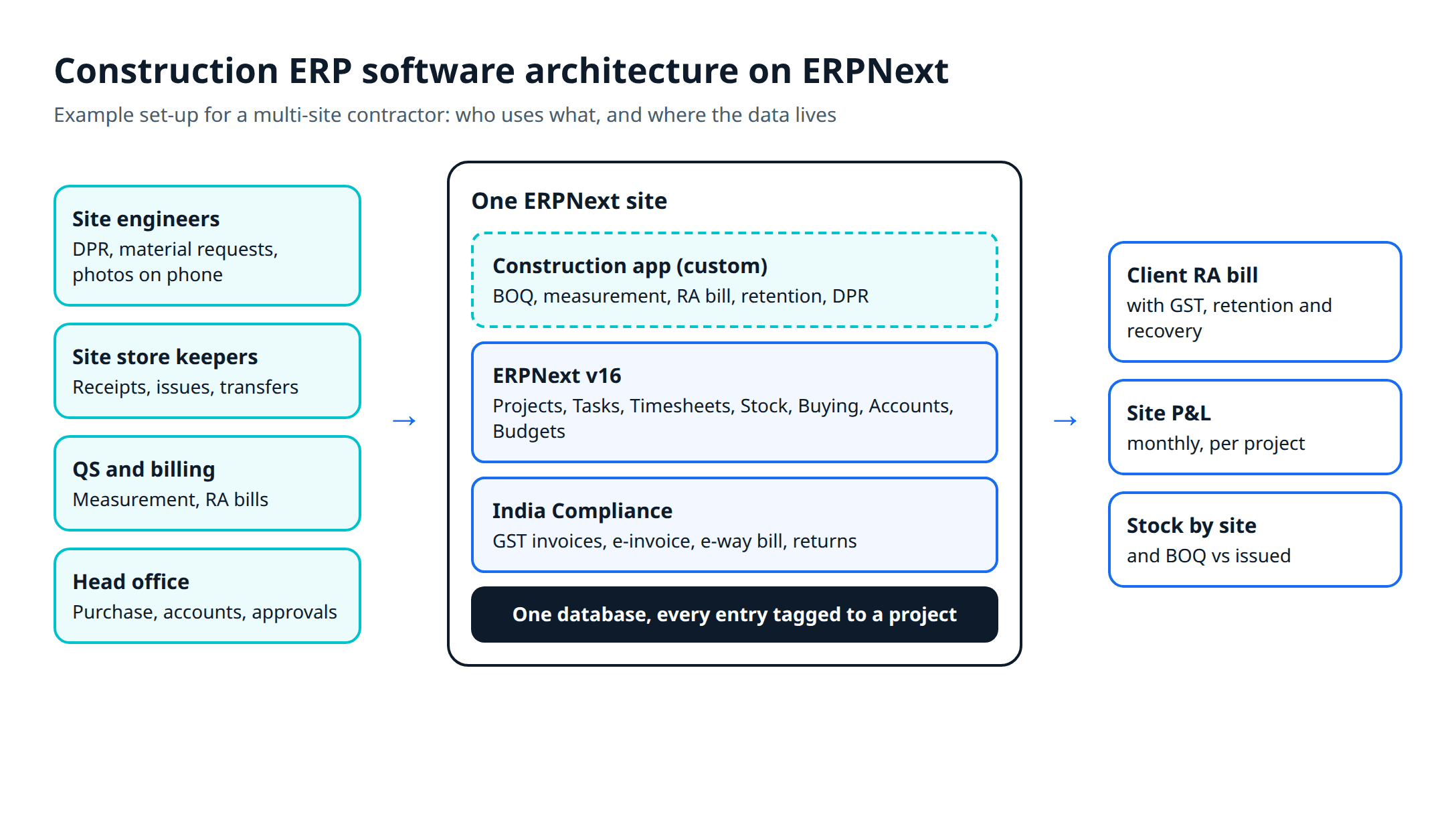
On cost, ERPNext has no licence fee. You pay for hosting, implementation and the custom app. ERPNext pricing in India sets out the running costs with sources.
An implementation outline
Scope
Core setup
Construction app
Roll out
Two habits cut the risk. Start with one site that has an engaged project manager, and run its first RA bill in parallel with the old spreadsheet before you trust the new one. Our ERPNext implementation page explains how Metageeks, an independent ERPNext implementer, scopes the work before setup starts.
Frequently asked questions
What is construction ERP software?+
It is one system that holds a contractor's projects, BOQs, budgets, purchases, site stock, labour, bills and accounts, so the cost and billing of each site come from the same records. For an Indian contractor it also has to handle RA bills against the BOQ, retention, advance recovery, GST on works contracts and TDS.
Can ERPNext be used as a construction ERP?+
Yes, with a custom app on top. ERPNext has Projects, Tasks, Timesheets, Material Requests, Stock Entries, project budgets, Buying and GST accounting as standard. BOQ quantities, measurement sheets, RA bills, retention and a site DPR form are not standard features, so they are built as a separate app on the same database.
Which is the best ERP for a construction company in India?+
There is no single answer. A contractor that needs BOQ-based RA billing, site stores and project P&L in one system, and wants to own the software, can build on ERPNext. A firm that mainly wants site reporting may start with a site app and keep Tally. Test any shortlist on one live site with your own BOQ and one RA bill before you decide.
Do contractors still need Tally if they move to an ERP?+
Not if the ERP does the accounting. ERPNext has its own general ledger, GST invoices and TDS through tax withholding categories, so Tally can be retired after the cut-over. You can keep the old Tally company as a read-only archive of past years.
How long does a construction ERP implementation take?+
It depends on how many sites, how much custom work and how clean the masters are. A phased plan helps: accounts, purchase and site stores first on one or two sites, then BOQ, RA bills and DPR once the custom app is tested, then the remaining sites. Ask the implementer for a written plan with dates for each phase.
Related reading
- From BOQ to RA bill in ERPNext: the custom billing layer, step by step.
- GST and TDS on works contracts: the tax rules and their exceptions.
- Construction material management software: site stores, transfers and wastage.
- Construction project management software vs ERP: when you need one, the other or both.
- Software for electrical and MEP contractors: trade-specific needs.
Free ERPNext fit check
Will ERPNext fit your factory?
Answer a few quick questions. On a short call we tell you whether ERPNext fits how you make, stock and sell, and what the rollout looks like.
Check my fit →About the author

- Tags
- erpnext
- erp
- construction
- india
- construction erp
Subscribe to Our Newsletter
The AI Build Brief: practical playbooks on how to build, price and ship AI features, in one short email every other week.