
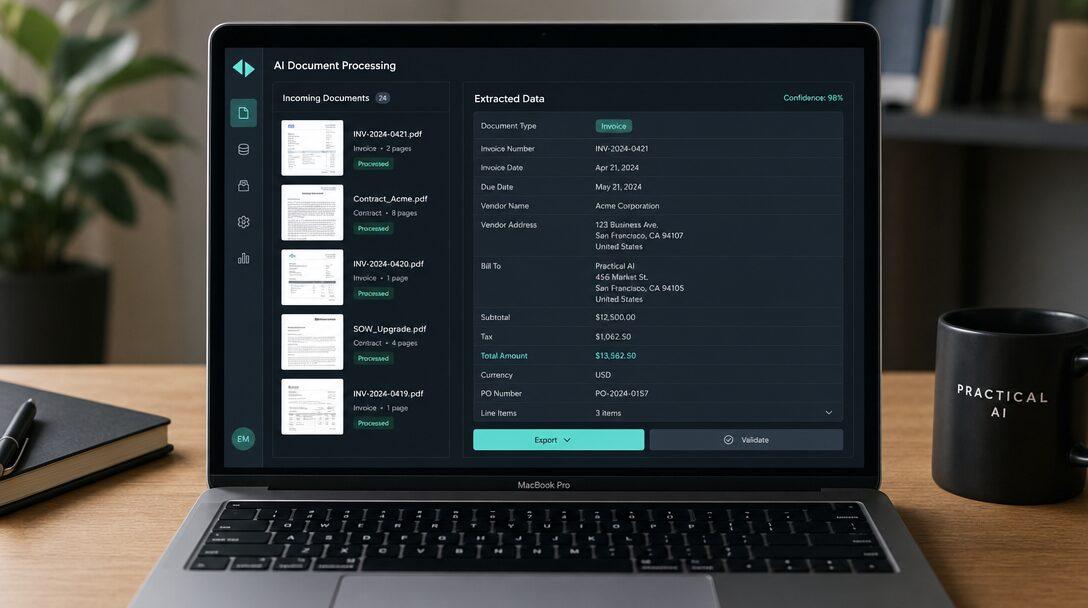
Every vendor demo of AI document processing looks like magic. Drop in a clean invoice, watch the fields populate, sign here. Then you point it at your actual pile of documents, the ones scanned at an angle, laid out differently by every supplier, with a handwritten note in the margin, and the magic gets a lot less reliable. That gap is the whole story of why these projects are harder than they look.
TL;DR
- AI document processing automation reads invoices, contracts, and forms, extracts the fields you need, validates them, and files the data, handling layouts that change from one document to the next.
- The extraction is the easy part. Companies stall on the messy last 10%: weird layouts, edge cases, accuracy you can't fully trust, and getting the data correctly into an existing system.
- At volume, the answer isn't perfect extraction. It's confidence scoring plus a human-in-the-loop queue, so people only check the documents the AI is unsure about.
- Buy the extraction (Textract, Google Document AI, Rossum, ABBYY); the value of a custom build is the validation, exception handling, and integration around it.
- Weigh a focused build against the hours your team burns re-keying documents now and the errors that creep in by hand.
What AI document processing automation actually does
The job is simple to state: read a document, pull out the information that matters, make sure it's right, and put it where it needs to go.
What makes it different from the OCR you've seen before is that it doesn't need a fixed template. Old systems worked only if every invoice looked the same and the total was always in the same spot. Real documents don't cooperate. Every supplier formats their invoice differently, contracts bury the key terms in different clauses, and forms get filled in by hand. Modern document AI reads the content the way a person does, working out that "amount due" and "balance payable" mean the same field even when they sit in different places.
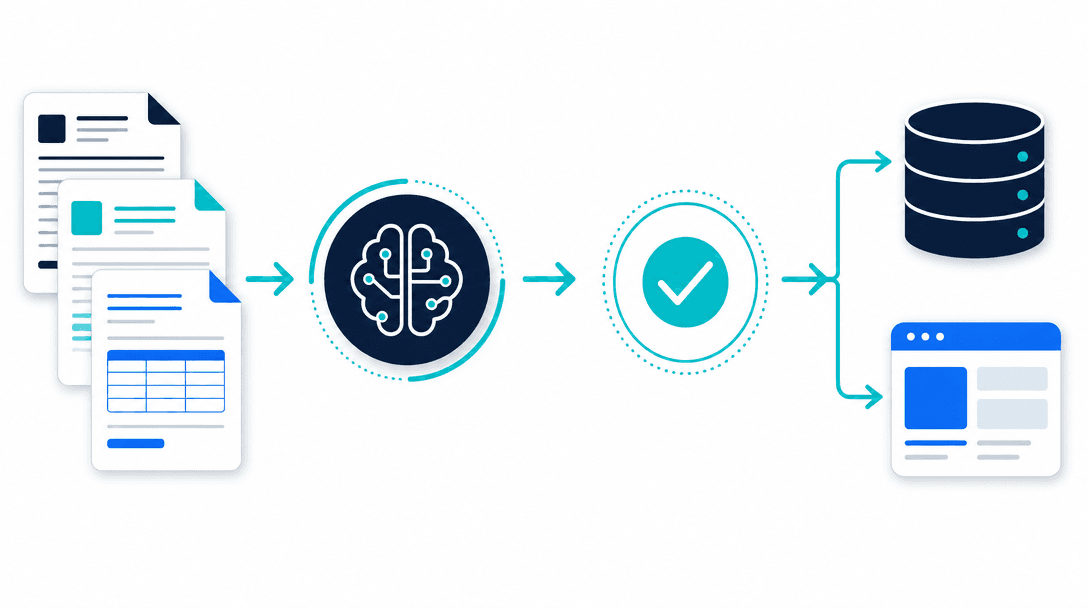
Done well, the afternoon someone spends typing numbers off PDFs into a system disappears. The data lands where it should, in seconds, without a human touching a keyboard for the routine cases.
Why companies struggle to automate it
This is the question worth sitting with, because the failure pattern is consistent.
The demo lies about the hard part. Extraction on a clean document is close to solved, so demos look incredible. But your documents aren't the demo. They're scanned crooked, photographed on a phone, missing fields, written by a vendor who changed their template last quarter. The first 90% extracts easily. The last 10%, the edge cases, is where the real work lives, and it's the part a quick project quietly ignores.
Accuracy that sounds great still means errors at scale. "95% accurate" feels safe until you do the math. Ten fields across ten thousand documents at 95% is thousands of wrong values flowing into your books. If you can't trust the output, you end up checking everything, and then you haven't saved the labor you were trying to save.
Extraction isn't the finish line; integration is. Pulling the data out is half the job. It still has to land in your accounting system, your CRM, your database, matched to the right record, in the right format, without breaking when something's off. That plumbing is unglamorous and it's where projects stall.
It gets treated as a tool purchase, not a workflow. Companies buy an extraction product, expect it to solve everything, and discover the product does the easy 90% and leaves them the hard part. The tool was never the whole solution. The validation, the exception handling, and the integration around it are the actual work.
None of this means it can't be done. It means the value is in the parts the demo skips.
The thing that makes it work at volume: human-in-the-loop
Here's the shift that turns a fragile document project into a reliable one. You stop trying to make the AI perfect, and you make it honest about when it isn't sure.
Every extraction comes with a confidence score. The documents the AI is confident about, the clean, common ones, flow straight through automatically. The ones it's unsure about, the crooked scan or the unusual layout, get routed to a person who checks just those. Your team stops touching the easy majority entirely and spends its time only on the genuine exceptions.
That's the design that makes high-volume document processing trustworthy. You get the speed of automation on the bulk of the work and a human safety net exactly where it's needed, instead of an all-or-nothing system you either trust blindly or check entirely.
What it costs
Across the market, a focused, well-scoped document processing build typically costs $20,000-$50,000. It sits higher than a simpler automation for a specific reason: the cost isn't in the extraction, it's in the validation, the exception queue, and the integration that make the output something you can trust and use. On top of the build, cloud extraction tools charge per page or per document, but that's usually small next to the labor it replaces.
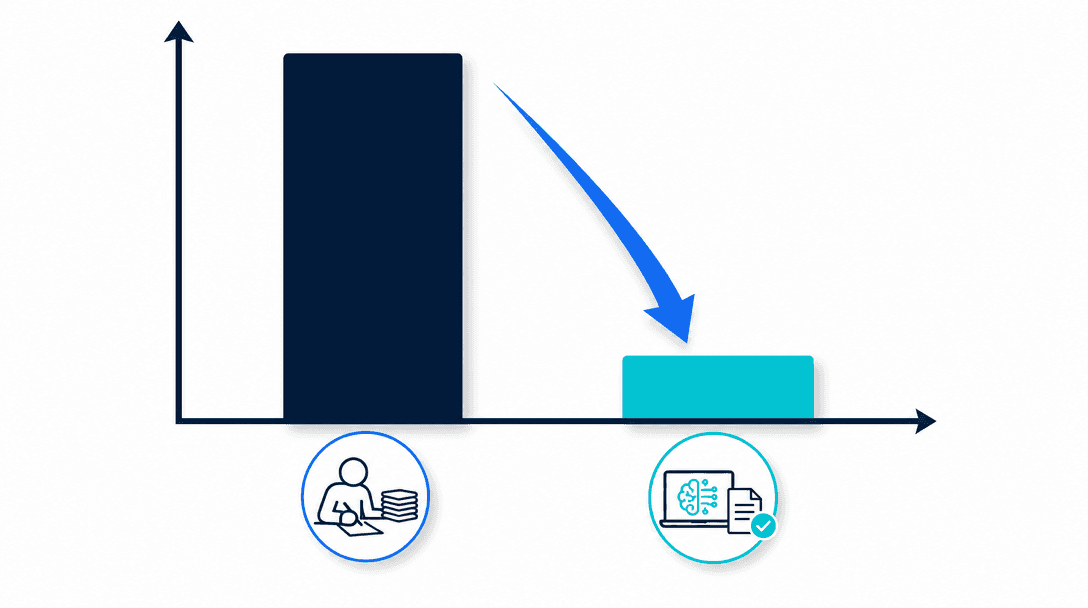
The honest way to size it: count the hours your team spends re-keying documents today, add the cost of the errors that slip in when people do it tired and by hand, and compare that to a one-time build that runs every month after. For a team processing real document volume, the recurring cost is the one that hurts. For the wider context, the AI development cost guide breaks down what moves these numbers.
Build vs buy
The extraction itself is a buy, not a build. AWS Textract, Google Document AI, Rossum, and ABBYY have spent years on the hard machine-learning problem of reading documents, and you're not going to beat them by starting from scratch. Use them.
What you build is everything that turns raw extraction into a workflow you can rely on: the confidence thresholds, the exception queue your team works from, the validation against your own data, and the integration that files the result correctly in the systems you already run. That orchestration is the part no off-the-shelf product fits to your business, and it's where a custom build pays off, especially at volume where the cost of getting it wrong compounds.
So the real question isn't "which tool," it's "who builds the workflow around the tool." If you're weighing that trade-off generally, build vs buy AI covers it, and document processing is one piece of the broader AI workflow automation picture, alongside lead qualification and automated reporting.
How a sprint delivers it
This works as a fixed-scope sprint because the scope can be pinned down precisely: a defined set of document types, the fields to extract, the systems to file into, and an accuracy-and-coverage measure you agree up front. Process this kind of document at this confidence, route the rest to review, file the result here.
The build runs against that measure. You start with your real documents, mess and all, not a clean sample, because the messy ones are the point. It ships handling your actual volume, and you judge it on whether the re-keying hours dropped and the data landed correctly, not on a demo with a tidy invoice. That's the difference between a sprint and an open-ended project: a working pipeline with a defined finish line, tested against the documents that usually break these things. AI implementation covers how we ship it into your existing systems.
The bottom line
AI document processing automation reads your invoices, contracts, and forms, validates the data, and files it, handling the layout chaos that sinks template-based tools. The reason it's hard isn't the extraction; it's the messy last 10%, the accuracy you have to be able to trust, and the integration into your systems. The way through is human-in-the-loop: automate the confident majority, route the rest to a quick human check. Buy the extraction, build the workflow around it, and scope it tightly, tested on your real documents. If documents are eating your team's hours, the build pays for itself against the re-keying it retires.
Next step: See where document processing fits in the bigger picture of AI workflow automation for SMBs and SaaS, or book a 20-minute call and we'll tell you whether it's your highest-return workflow before you build anything.
What is AI document processing automation?+
AI document processing automation is software that reads documents like invoices, contracts, and forms, pulls out the fields you care about, checks them, and pushes the data into the system that needs it. Unlike older OCR, it handles documents whose layout changes from one to the next, and it uses AI to make sense of unstructured text rather than relying on a fixed template. The result is that high-volume re-keying a person does by hand happens automatically and in seconds.
Why do companies struggle to automate document processing?+
Because the demo is easy and the last 10% is brutal. A clean PDF extracts perfectly in a demo, but real document piles are messy: scanned at an angle, handwritten in places, laid out differently by every vendor, full of edge cases. Most projects stall when they hit those exceptions, when accuracy isn't high enough to trust without checking, or when the extracted data still has to land correctly in an existing system. The work that matters is the validation and integration, not the extraction, and that's the part generic tools and quick projects tend to skip.
What is the best AI approach for high-volume document processing?+
For high volume, the best setup pairs strong extraction with a human-in-the-loop step for low-confidence cases and tight integration into your systems. Cloud tools like AWS Textract, Google Document AI, and platforms like Rossum or ABBYY do the extraction well. The differentiator at volume is everything around it: confidence scoring, an exception queue so people only touch the documents the AI is unsure about, and validation against your own data. That orchestration is usually where a custom build earns its cost over a raw tool.
How accurate is AI document processing?+
On clean, common document types, modern extraction is highly accurate, often well above 90% per field. But accuracy that sounds good still means errors at volume: 95% across ten fields and ten thousand documents is a lot of wrong values. That's why a serious build doesn't aim for perfect extraction; it routes low-confidence results to a human for a quick check and lets the confident ones through automatically. You get speed on the easy majority and a safety net on the hard minority.
How much does AI document processing automation cost?+
Across the market, a focused, well-scoped build typically costs $20,000-$50,000, landing higher than a simpler workflow because of the validation and integration work that makes it trustworthy. Cloud extraction tools charge per page or per document on top, which is usually minor next to the labor it replaces. The honest way to size it is to weigh the build against the hours your team spends re-keying documents today and the cost of the errors that creep in when they do it by hand.
Free PDF
The 2026 AI Development Rate Sheet
Build, agent, RAG and consulting rates by tier, in one PDF, so you can check a quote before you sign it.

Written by
Pankaj Kumar
Founder · Metageeks Technologies
Metageeks builds software and AI products for growing businesses. Every build is scoped in writing before it starts, and you see progress every week. We write about what holds up once it reaches production.
Connect on LinkedInThe AI Build Brief
Ship AI that holds up in production.
Practical playbooks on how to build, price and ship AI features, in one short email every other week.