
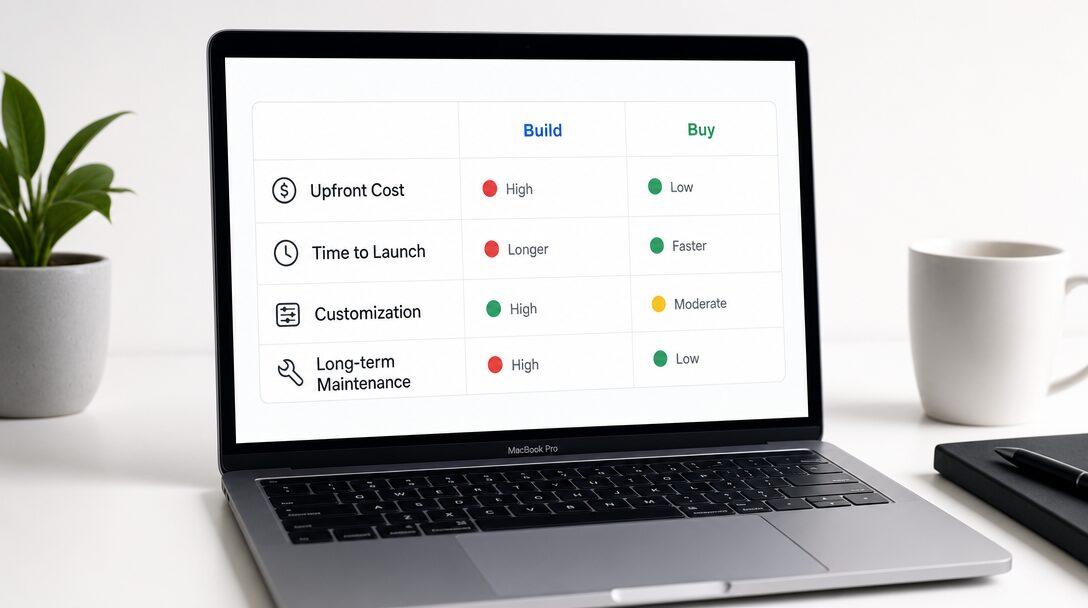
Every AI vendor will tell you their product is the answer. Every consultant will tell you to build something custom. Neither is wrong. They're just solving for their own incentive, not yours.
TL;DR
- Buy (off-the-shelf SaaS) when your need is generic and the tool already fits your workflow. Build (custom) when your process is specific and off-the-shelf hits its ceiling within 6 months.
- The real cost of buying is the SaaS fee plus the cost of working around what the tool can't do. The real cost of building is the build fee plus time to production.
- Most $1M-$15M businesses should start with one custom build targeting their highest-ROI workflow, not a SaaS subscription that half-works.
- A 20-minute scoping call maps your workflows and tells you where build vs. buy makes sense before you commit to either.
Free scoping call
Turn your AI idea into a written plan
Tell us what you want AI to do. In 30 minutes we tell you plainly whether it will pay for itself, and what it would take to build.
Book a scoping call →The question most businesses ask is wrong
"Should we build or buy AI?" is the wrong starting point. The right question is what specific workflow you're trying to improve, and how customized the solution needs to be.
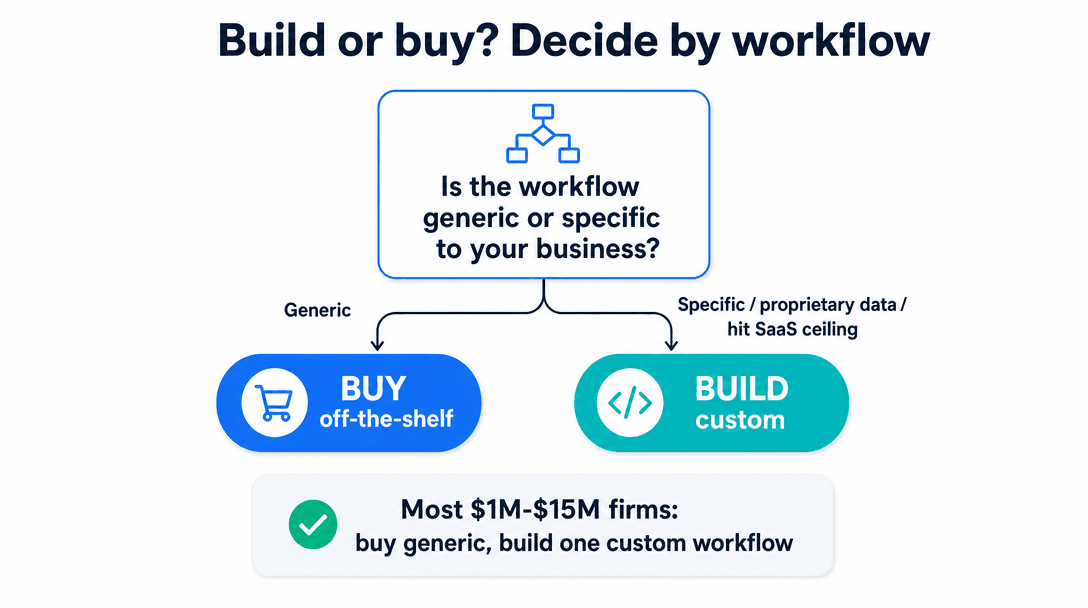
Once you've named the workflow (lead qualification, support triage, internal report generation, whatever), the build vs. buy decision becomes mostly mechanical. Off-the-shelf tools are built for the median user. They cover the most common 80% of use cases well and the remaining 20% not at all. If your workflow falls in the 80%, buy. If it falls in the 20%, build.
The mistake most businesses make is buying first, hitting the ceiling, then rebuilding. They end up paying for both.
When buying wins
If the need is generic, buy. Customer support over a standard FAQ, email drafting from templates, meeting transcription: these are solved problems. The SaaS options are good, cheap, and fast. There's no edge in building your own version.
If you're not sure AI even helps with the workflow, buy to test. A 60-90 day SaaS trial is the right first move before committing $20K to a build. If the tool works, great. If it hits its ceiling, you've learned exactly what a custom build needs to do differently, which is worth something.
If the integration already exists (native HubSpot, Salesforce, Slack plugins), and the tool plugs into your stack without custom code, the build case weakens significantly.
One more: if the cost math favors SaaS over 3 years, buy. A $500/month tool beats a $40K custom build if volume is low and you never hit the feature ceiling. Run the numbers honestly before assuming custom is always smarter.
When building wins
Build when your workflow logic is specific to your business. Off-the-shelf tools use generic logic. Your ICP criteria might be revenue band plus tech stack plus urgency signal. No SaaS product knows your business well enough to bake that in. A custom build does.
Build when you've already tried SaaS and hit the ceiling. Six months into Intercom or Drift, your support team is still doing manual triage, and the "AI" features aren't reducing their load. You can keep paying to work around it, or you can build the thing that fits.
Build when the data you need lives in systems SaaS tools can't touch. Your internal ops database, your ERP, your proprietary CRM fields. If the AI needs to reason about your data to do its job, off-the-shelf tools can't get there.
Build when you need the output to feed into a downstream process you control. A lead qualifier that scores leads is useful. A lead qualifier that scores leads, pushes qualified ones to your CRM pipeline, assigns a rep, and fires a Slack alert with your specific routing logic: that's the thing that gets used. That's custom territory.
Build when the workflow has multiple steps. Single-step AI tasks (classify this document, summarize this transcript) are well-covered by SaaS. A workflow that ingests an inbound inquiry, checks the CRM, enriches with company data, qualifies, routes, and books a meeting is agent territory. No SaaS tool handles that reliably for a specific business's logic.
The real cost comparison
Most cost comparisons look at sticker price. That's the wrong number.
| Off-the-shelf SaaS | Custom build | |
|---|---|---|
| Upfront cost | $0-$500 | $8K-$60K |
| Monthly cost | $500-$5,000+ | $200-$800 (API + hosting) |
| Time to first value | Days | 4-10 weeks |
| Customization ceiling | Low | None |
| What you own at the end | A subscription | Working software |
| Year-3 total (estimate) | $18K-$180K | $10K-$70K |
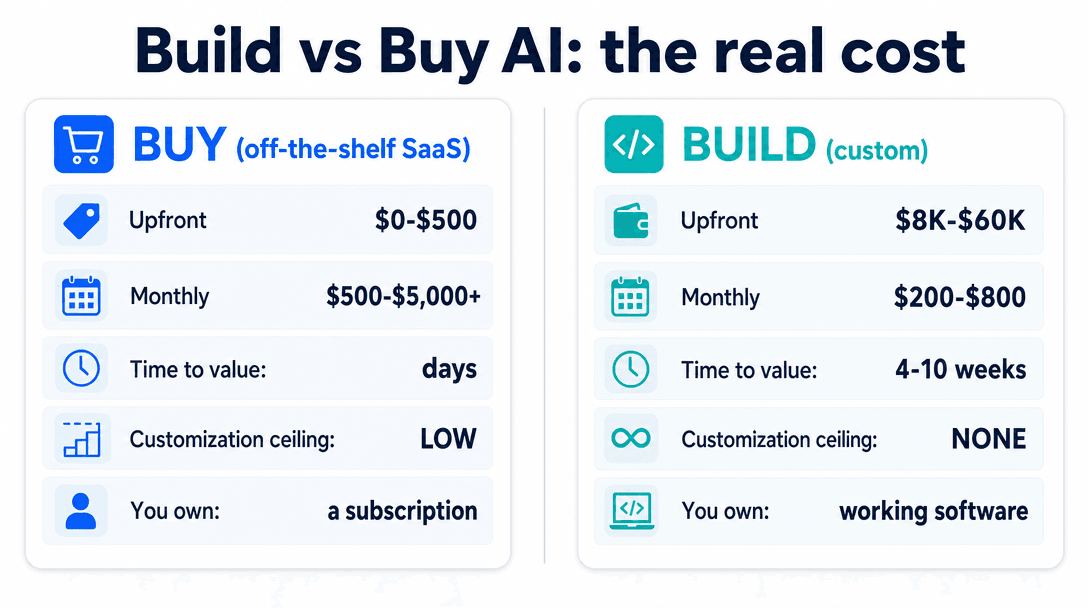
The 3-year math usually flips toward custom at real usage volumes. But the number most people skip is the ceiling cost: how many hours per month does your team spend working around what the SaaS tool can't do? That's real labor that doesn't appear in any vendor's pricing table.
A $2,000/month SaaS tool that requires 20 hours/month of manual workarounds by a $60/hr ops person costs $3,200/month in reality. A $25K custom build that eliminates those workarounds pays back in under a year.
Free scoping call
Turn your AI idea into a written plan
Tell us what you want AI to do. In 30 minutes we tell you plainly whether it will pay for itself, and what it would take to build.
Book a scoping call →The hybrid approach most $1M-$15M businesses miss
The choice is rarely binary. Most businesses at the $5M-$15M range end up using SaaS for the generic stuff (email, scheduling, transcription, document generation) and building custom for one workflow that requires their specific data and logic. Then connecting the two.
That's the normal outcome: Salesforce and Slack and Notion running alongside a custom agent that does the specific thing none of them could do. The mistake is going all-in on one side and missing that middle path.
The three questions that determine your answer
Before you talk to any vendor, answer these three.
First: write out the specific workflow in plain English. Not "we want AI for customer support." Something like: "When a new lead submits our contact form, we want to automatically determine if they're in our ICP, assign a lead score, route qualified leads to the right rep, and send unqualified leads a resource instead of a sales call." The more specific this is, the faster you'll know whether off-the-shelf covers it.
Second: define what "working" looks like in numbers. Not "it should save us time." Something like: "Reduce the time reps spend on manual lead qualification from 8 hours/week to under 1 hour/week." That's a success criterion. It also tells you what either option needs to achieve to be worth the cost.
Third: name the failure mode you can't afford. A chatbot that occasionally misqualifies a lead is tolerable. A system that books meetings with leads who explicitly said they're not interested is a reputation problem. Define the failure mode before you spec the solution. It determines how much reliability engineering you need, which changes cost and timeline.
If you can answer all three, you're ready to have real vendor conversations. If you can't, no quote you get will be accurate. From either side.
What this looks like in practice
A professional services firm with 40 employees was spending 15 hours/week on manual proposal generation. Their workflow: scoping call, notes, pull relevant case studies, draft proposal, customize for the client's industry.
They looked at HubSpot's AI tools, Notion AI, and a custom build. The SaaS options covered parts of the workflow but broke down at case study retrieval: their library lived in an internal database those tools couldn't reach. Connecting HubSpot to it was technically possible, but required custom code either way. So the SaaS option wasn't actually cheaper.
They ended up with a custom RAG pipeline over their case study database, connected to their intake workflow. Proposals went from 3 hours of manual work to 20 minutes of review and editing. The build cost $22K. At 15 hours/week recovered, it paid back in under 4 months.
The build vs. buy analysis took one hour. The implementation took 6 weeks. Continued manual work plus partially functional SaaS subscriptions would have cost more inside 12 months.
How to avoid the expensive mistake
The most expensive outcome is buying a SaaS tool that doesn't fully solve the problem, spending 6 months configuring it, and then rebuilding from scratch. It happens constantly because companies skip the scoping step.
Before you buy anything or sign a development contract, you need a specific workflow definition and a realistic cost model for both paths.
A 20-minute scoping call is the quickest way to settle it. We look at your operations, identify your highest-ROI AI opportunity, and give you a specific build vs. buy recommendation with the numbers behind it. If the answer is buy, we tell you which tool fits your stack. If the answer is build, we scope it before you spend.
Most clients who come to us have already spent on one SaaS tool that didn't work. That call is what they should have made first.
The short version
Build when your workflow is specific, your data is proprietary, or off-the-shelf has already let you down. Buy when the need is generic, you're testing the concept, or the integration already exists.
Most $1M-$15M businesses need one custom build for their highest-friction workflow and SaaS for everything else. That's the answer most vendors won't give you, because it doesn't maximize their deal.
AI consulting is for teams who want to work through this with someone who has no stake in which answer wins. A fixed-price build is for teams who already know what they need and want it done fast. Once the path is clear, in-house vs. consultant covers who should build it.
Either way: define the workflow first. Everything else follows from that.
Is it cheaper to build or buy AI?+
It depends on the time horizon and the ceiling. Off-the-shelf SaaS is cheaper in year one: no upfront build cost, instant deployment. Custom builds cost more upfront but run $200-$800/month in API and hosting fees afterward, versus $500-$5,000/month in SaaS. At real usage volumes, the 3-year math usually favors building. The more important variable is whether the SaaS tool covers your use case: if it hits its ceiling in 6 months, you're paying for both paths.
When should a small business build custom AI instead of using a SaaS tool?+
Build custom when your workflow requires logic specific to your business (your qualification criteria, your routing rules, your proprietary data) that off-the-shelf tools can't access or replicate. Also build when you've already tried the SaaS route and hit its limits. For $1M-$15M businesses, the trigger is usually when the manual workarounds around a SaaS tool cost more in labor than a custom build would.
What's the build vs. buy AI decision framework?+
Start with the workflow, not the tool. Define what you're automating, what "working" looks like in measurable terms, and what the failure mode you can't afford is. Then evaluate whether off-the-shelf covers that workflow completely, not just partially. If it does, buy. If it doesn't, build. Run the 3-year cost model for both paths, including labor costs of working around limitations.
How do I evaluate AI vendors for a build vs. buy decision?+
For SaaS vendors, ask them to demo your specific workflow, not a generic use case. Ask what happens when a user hits an edge case your workflow requires. Ask what the integration path looks like with your specific stack. For custom development vendors, ask for acceptance criteria in writing before any payment. Ask how they handle scope changes. Ask what the support model looks like after delivery. Any vendor who won't give you written acceptance criteria before the build starts is a risk.
Should I pilot with SaaS before building custom AI?+
Usually yes, with one condition. A SaaS pilot makes sense when you're uncertain whether AI adds value to the workflow at all. Run it for 60-90 days with clear success criteria. If the tool works, you're done. If it hits its ceiling, you've validated the use case and have specific data on what the custom build needs to do differently. What to avoid: running a SaaS pilot indefinitely as a substitute for making a decision. That's how you end up paying for a tool that doesn't work for 18 months.
Free scoping call
Turn your AI idea into a written plan
Tell us what you want AI to do. In 30 minutes we tell you plainly whether it will pay for itself, and what it would take to build.
Book a scoping call →About the author

- Tags
- ai strategy
- ai consulting
- ai development
Subscribe to Our Newsletter
The AI Build Brief: practical playbooks on how to build, price and ship AI features, in one short email every other week.