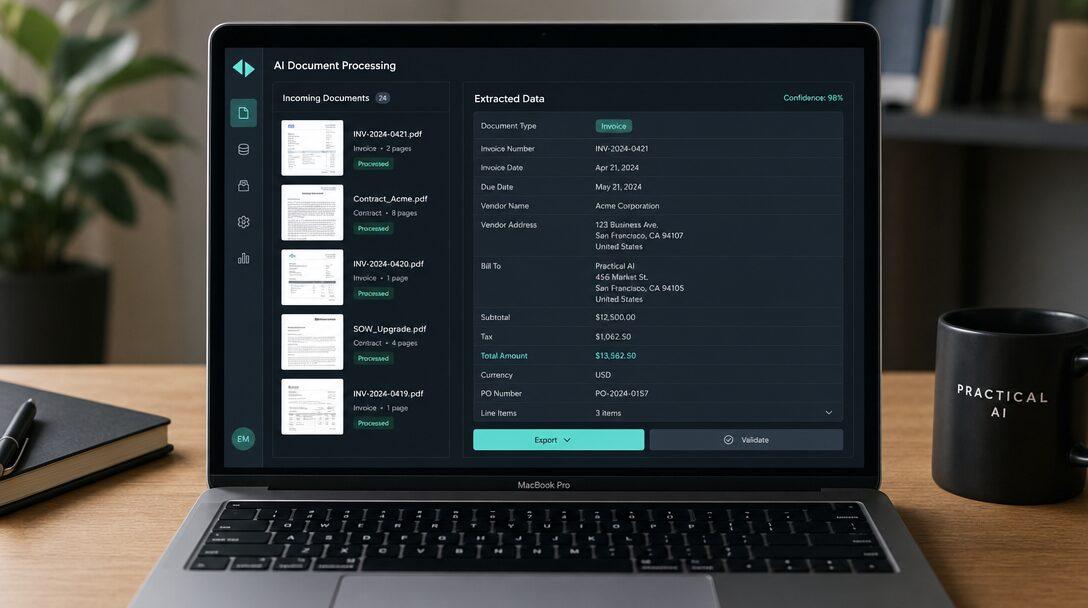
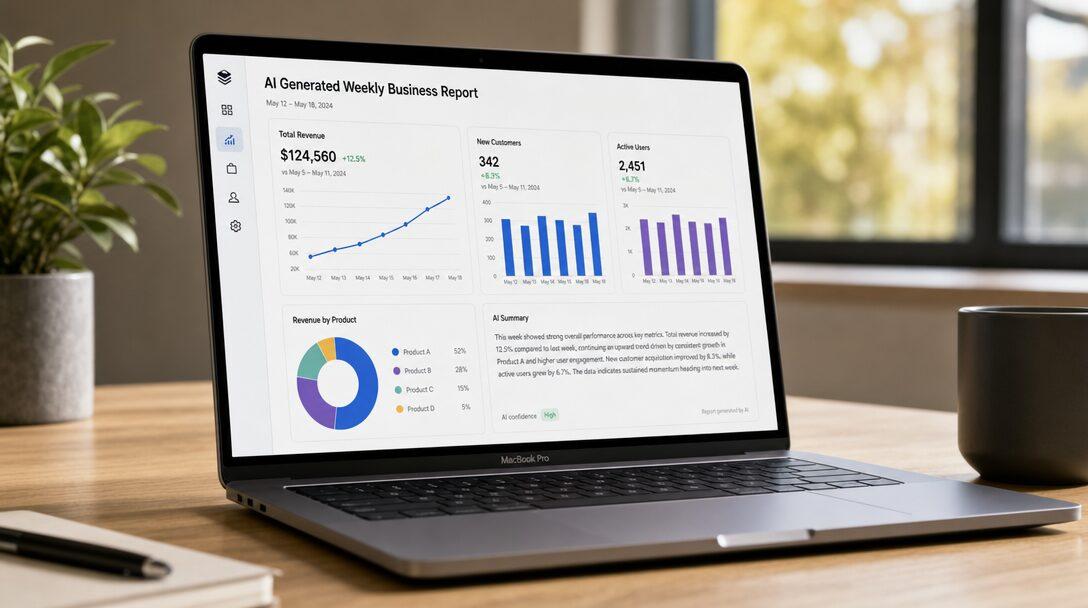
Somewhere in your company, someone spends the first morning of every week pulling numbers out of four tools, pasting them into a spreadsheet, and writing the same kind of summary they wrote last week. The report matters. The hours rebuilding it from scratch don't. That recurring, copy-paste assembly is exactly what AI automated reporting is built to take off their plate.
TL;DR
- AI automated reporting pulls data from your tools, assembles the report, writes the narrative around the numbers, and delivers it on schedule, with no one building it by hand.
- It's not a BI dashboard. Dashboards show data and wait for you to interpret it; automated reporting does the interpreting and the delivery, the part a person still does by hand.
- The numbers are more reliable than the hand-built version because they're pulled straight from source, not retyped. The written commentary earns trust over a few cycles.
- Buy the dashboard for exploring; build the automation for the recurring report nobody wants to rebuild. Start with the single report that eats the most time.
- Weigh a focused build against the hours someone burns assembling that report every week or month, forever.
What AI automated reporting actually does
The job has three parts, and only one of them is new.
First, it gathers: it connects to the tools your data lives in, your CRM, your analytics, your billing system, a spreadsheet, and pulls the numbers automatically instead of someone exporting and pasting them. Second, it assembles: the metrics, the charts, the period-over-period comparisons, laid out the way your report already looks. Third, and this is the part that's only recently become possible, it writes: a plain-language summary of what changed and why it matters, the paragraph at the top that a person usually types last.
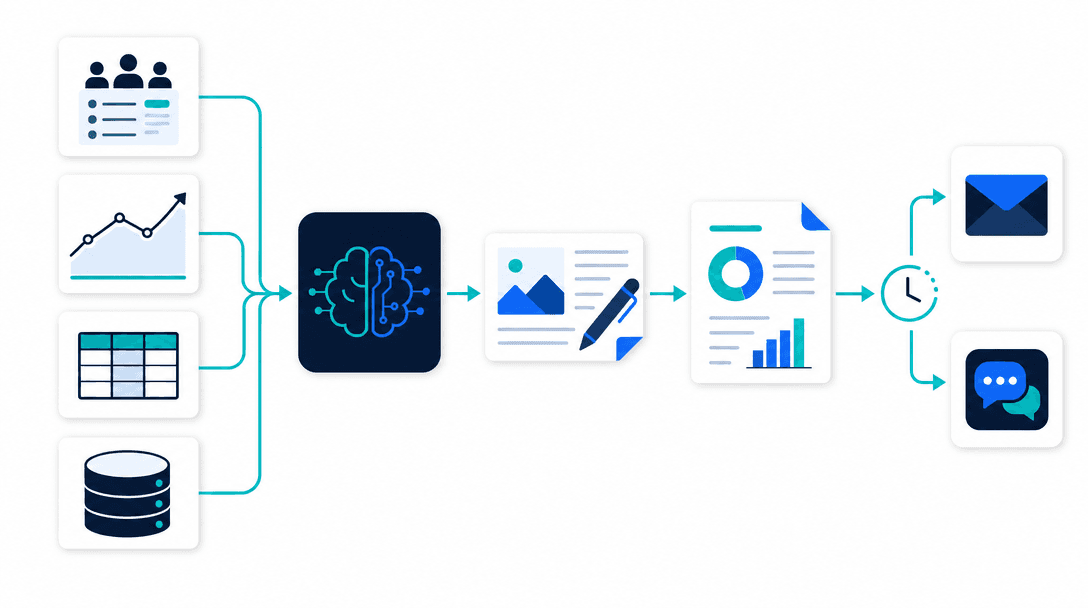
That third step is the difference between this and a scheduled export. An export gives you the charts. Automated reporting gives you the charts and the sentence that says "revenue dipped because two renewals slipped to next month," which is the part your team reads.
Why this isn't just a BI dashboard
This is the objection worth answering head-on, because most people's first reaction is "don't we already have Tableau for this?"
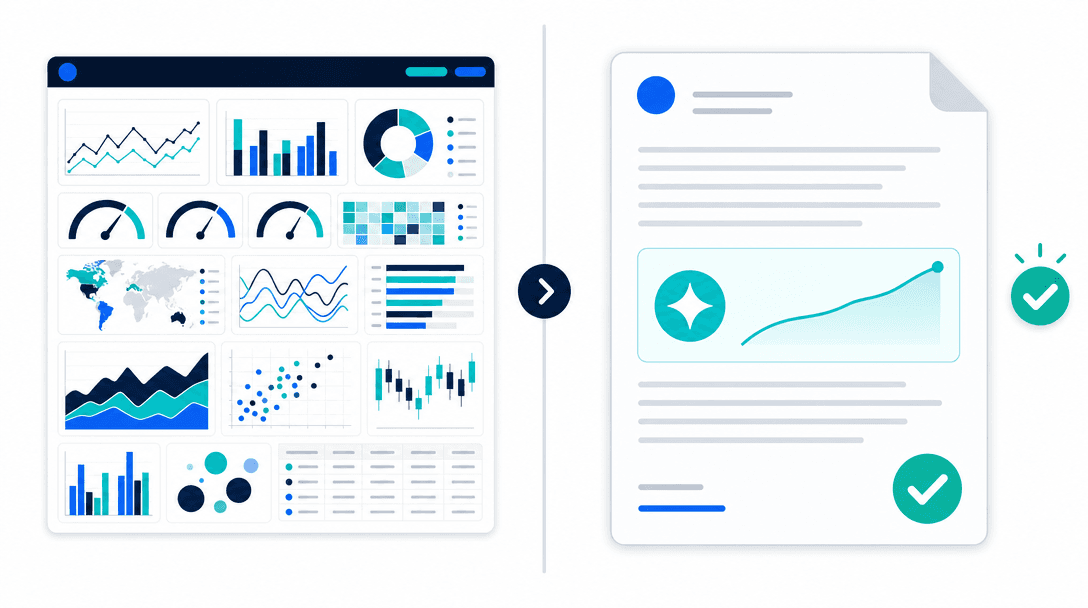
A dashboard and an automated report solve different halves of the problem. A dashboard is for exploring: it shows you everything, live, and waits for you to go find the story. That's useful, and Power BI, Tableau, and Looker do it well. But a dashboard doesn't write your weekly update, doesn't notice that one number moved for a reason worth flagging, and doesn't land in your inbox on Monday whether or not you logged in. Someone still does that part by hand.
Automated reporting is for the recurring summary, the report you produce on a schedule and send to the same people every time. It does the gathering, the interpreting, and the delivery that a dashboard leaves to a human. The two aren't rivals. Most teams want the dashboard for digging in when something looks off, and the automated report for the routine update they're tired of rebuilding.
The most effective approach for an SMB
The question SMBs ask is which approach works, and the honest answer is the unglamorous one: automate the report you already send, not a generic template.
Off-the-shelf report generators don't know your business. They produce a tidy report of metrics that aren't quite the ones you track, in a format that isn't quite yours, so you end up reformatting their output, which defeats the point. The approach that works for an SMB is a custom layer that connects to the specific tools you run, rebuilds the exact report your team produces today, in your format with your commentary style, and delivers it where you already work.
And you don't automate all your reporting at once. You start with the single report that costs the most time to assemble, prove it out, then extend. That keeps the first build small, fast, and easy to judge.
What it costs
Across the market, a focused, well-scoped reporting automation typically costs $15,000-$35,000 to build. The range tracks two things: how many data sources it has to connect and pull from reliably, and how much narrative and custom formatting the report needs beyond the raw numbers.
The way to size it against the value is simple arithmetic. Count the hours someone spends assembling the report each cycle, multiply by how often it runs over a year, and add the cost of the report going out late or wrong when that person is on holiday. Then compare that recurring number to a one-time build that produces the report automatically every cycle after. For anything that runs weekly, the math tends to favor the build quickly. The AI development cost guide puts these ranges in wider context.
Build vs buy
Buy the pieces that are already solved. Your BI tool, your data warehouse, the chart libraries, the LLM that writes the narrative, these exist and you should use them. There's no value in rebuilding a dashboard.
What you build is the automation that strings them into the specific report you send: the connections to your exact data sources, the logic that assembles your metrics your way, the narrative tuned to how your team writes, and the scheduled delivery to your inbox or Slack. No off-the-shelf product fits that to your business, because the report you send is specific to your business. That custom last mile is where a build pays off. If you're weighing this trade more broadly, build vs buy AI walks through it, and reporting is one piece of the wider AI workflow automation picture, alongside lead qualification and document processing.
How a sprint delivers it
Reporting automation fits a fixed-scope sprint cleanly because the target is concrete: a report that already exists. You're not inventing what to measure; you're automating something your team produces by hand today. The scope is the data sources, the report's structure, the delivery channel, and a success measure you can state plainly, that the report goes out on schedule, with the right numbers, and the write-up needs little or no editing.
So the build runs against the real thing. You hand over a few recent versions of the report you produce now, the build reproduces it from live data, and you judge it by comparing its output to what your team would have written by hand. It ships generating real reports on your schedule, not as a demo. AI implementation covers how we connect it to the systems your data already lives in.
The bottom line
AI automated reporting gathers your data, assembles the report, writes the summary, and delivers it on schedule, retiring the recurring assembly someone does by hand every cycle. It isn't a dashboard: dashboards are for exploring, automated reports are for the routine update a person still builds and sends. The most effective setup for an SMB is a custom layer that automates the exact report you already produce, in your format, starting with the one that eats the most time. Buy the dashboard and the data tools, build the last-mile automation, and scope it tightly, judged against the report your team writes today.
Next step: See where reporting fits in the bigger picture of AI workflow automation for SMBs and SaaS, or book a 20-minute call and we'll tell you whether it's your highest-return workflow before you build anything.
What is AI automated reporting?+
AI automated reporting is software that pulls data from the tools you already use, assembles it into a report, writes the narrative around the numbers, and delivers it on a schedule, without anyone building it by hand. The difference from a plain export is the writing: it doesn't just dump charts, it explains what changed and why it matters in plain language, the way a person would in the summary at the top of the report.
How is AI automated reporting different from a BI dashboard?+
A dashboard shows you the data and waits for you to interpret it. Automated reporting does the interpreting and delivers the result on schedule. Tools like Power BI, Tableau, and Looker are great at the live, explore-it-yourself view, but someone still has to log in, read the charts, write up what they mean, and send it round. Automated reporting handles that last mile: the gather, the write-up, and the delivery. The two work well together, with the dashboard for exploring and the report for the recurring summary nobody wants to rebuild.
Which AI approach helps SMBs automate report generation most effectively?+
For an SMB, the most effective approach is a custom layer that connects to the specific tools you run, assembles the exact report you already produce by hand, and delivers it where your team works (email or Slack). Generic report generators don't know your business, and BI tools stop at the chart. The win comes from automating the report you send, with your metrics and your commentary style, rather than adopting a new tool everyone has to learn. Start with the one report that eats the most time.
Can I trust an AI-written report?+
You can trust the numbers when the report pulls them directly from your systems rather than retyping them, which removes the copy-paste errors manual reporting introduces. The narrative is worth reviewing at first, the same way you'd glance at a junior analyst's draft, and most setups keep a quick human check in the loop until the team trusts the output. The data is more reliable than the hand-built version; the commentary earns trust over a few cycles.
How much does AI automated reporting cost?+
Across the market, a focused, well-scoped reporting automation typically costs $15,000-$35,000 to build, depending on how many data sources it connects and how much narrative and formatting the report needs. The way to size it is to count the hours someone spends assembling the report each week or month, multiply by how often it runs, and compare that recurring cost to a one-time build that produces it automatically from then on.
Free PDF
The 2026 AI Development Rate Sheet
Build, agent, RAG and consulting rates by tier, in one PDF, so you can check a quote before you sign it.

Written by
Pankaj Kumar
Founder · Metageeks Technologies
Metageeks builds software and AI products for growing businesses. Every build is scoped in writing before it starts, and you see progress every week. We write about what holds up once it reaches production.
Connect on LinkedInThe AI Build Brief
Ship AI that holds up in production.
Practical playbooks on how to build, price and ship AI features, in one short email every other week.