- Client
- Dalmia Resorts International
- Industry
- Hospitality, timeshare holidays
- What we built
- An internal member records system, 2023
- Used by
- Customer support, verifiers and admins
- Stack
- React, Node.js, Express, MongoDB
Summary
What is DRI Data Management?
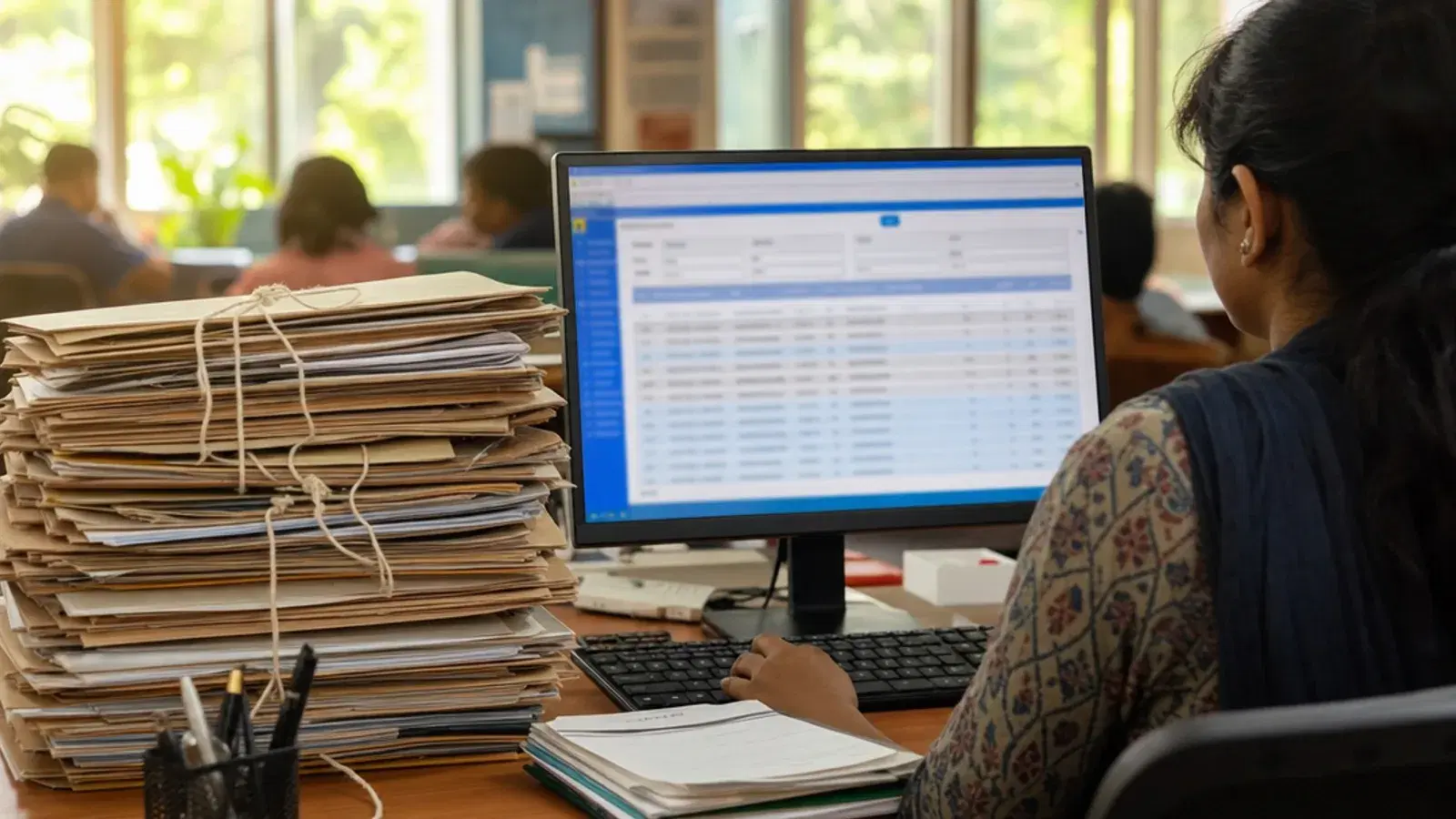
DRI Data Management is an internal web application that holds the membership records of Dalmia Resorts International in one central database. It replaced paper files that had built up since the company introduced timeshare holidays in India in the mid-1980s. About 20,000 member records, each with around 60 fields, now sit in one place: application numbers, membership type, year of purchase, annual maintenance charges, deposits, payment status and remarks.
Three kinds of user work in DRI Data Management. Support executives search for members and propose corrections. Verifiers approve or reject each correction after comparing the old value with the new one. Nothing an executive types changes a record until a verifier approves it. Admins load spreadsheet data and manage accounts. The API checks each user's role on every request, and only office IP addresses can reach the system. Metageeks built it in 2023 with React, Node.js, Express and MongoDB.
The client
A timeshare pioneer with four decades of paperwork.
Dalmia Resorts International introduced the timeshare holiday to India in the mid-1980s. Families bought fixed-term vacation memberships and holidayed across the group's roughly 12 properties around the country.
Every membership created paperwork for as long as it ran: the application, the purchase, yearly maintenance charges, deposits, outstanding balances and notes from conversations with the member. Across about 20,000 members and close to 40 years, that added up to an archive of paper files that only grew.
The problem
Every member question started in the file room.
A five-person support team answered members' questions about their membership and what they owed. Each answer began with finding the right file. Pulling a paper record took about 15 minutes, and the member waited on the phone or waited for a call back.
Digitising the records into spreadsheets made them easier to find but created a new problem. Copies drifted apart, anyone with the file could change a value, and nobody reviewed the change. On records this old, one wrong edit can erase the only correct copy of a member's history.
Management questions were slow too. A list of every member with an outstanding balance across 12 resorts meant days of collating files.
The approach
Paper, then spreadsheet, then one database.
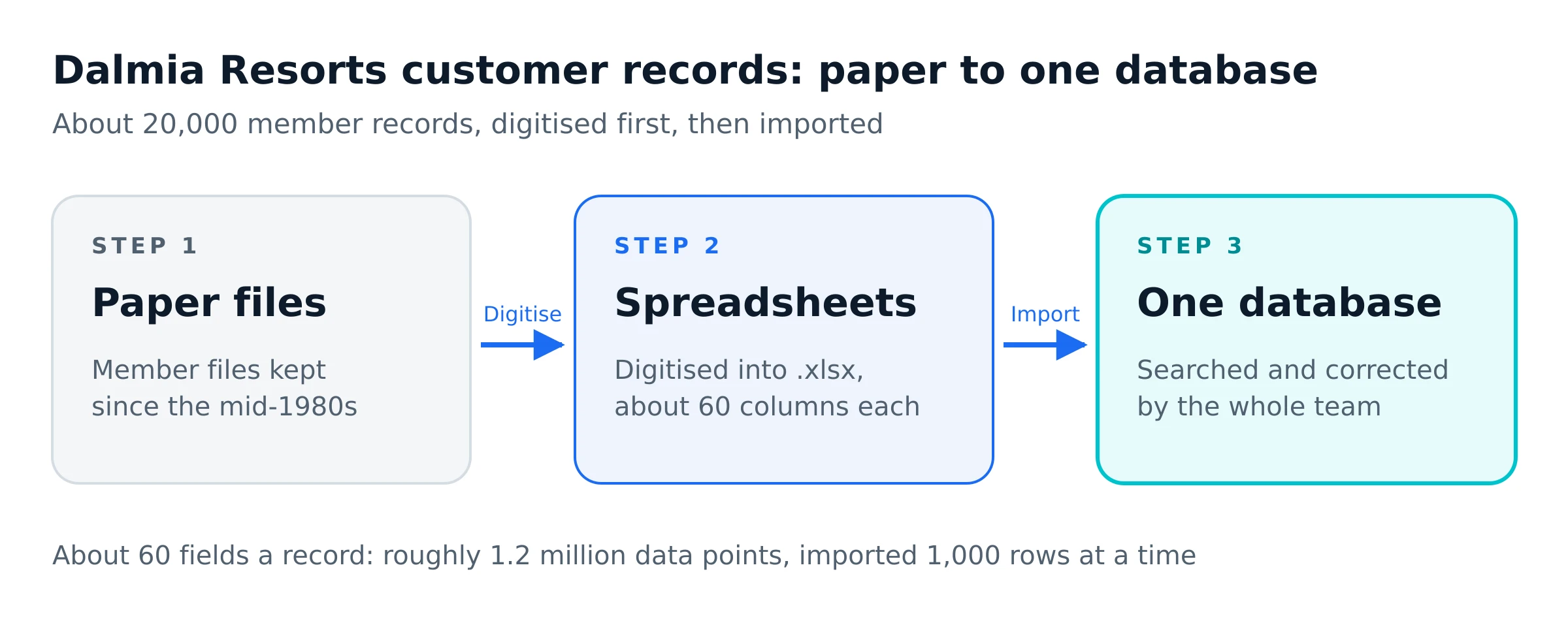
Metageeks kept the digitisation Dalmia Resorts had already started and gave it somewhere to land. Admins upload the digitised spreadsheets directly. The server reads each .xlsx file and writes the rows to MongoDB in batches of 1,000, so a large file loads without anyone re-typing a record.
Each member became one record of about 60 fields. That put roughly 1.2 million data points in one database, where before they were split between paper files and spreadsheet copies.
Finding members
Find any member in one search.
The support team filters records by payment status, resort and year of purchase, and searches by customer name. Name search matches any part of the name and ignores capital letters, so a partial or unusually typed name still finds the member.
Finding a record now takes under 30 seconds instead of about 15 minutes. The outstanding-dues list that used to take days is a single filter: set the status to Outstanding and the list covers all 12 resorts.
Protecting the data
No change goes live without a second person.
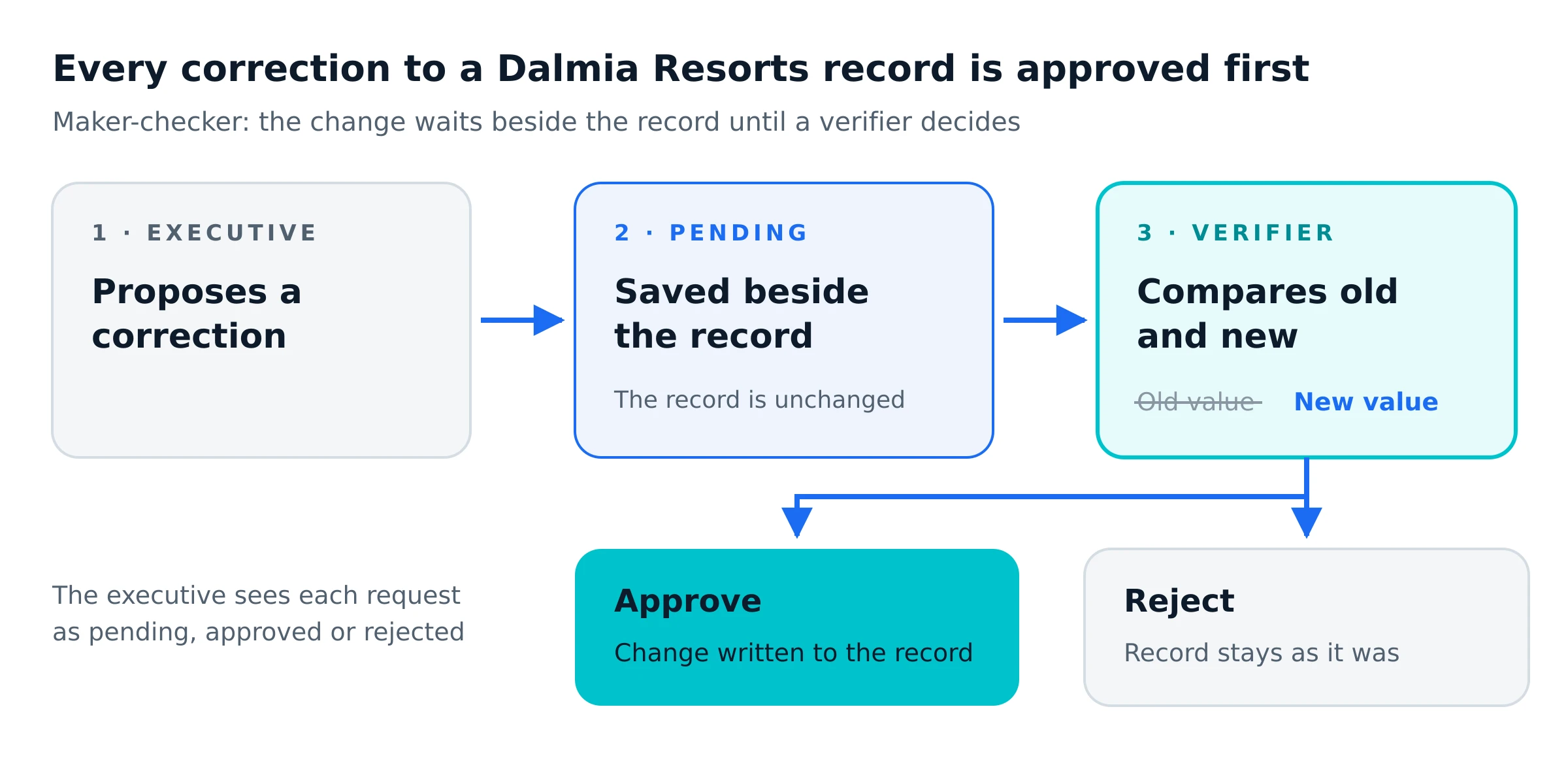
The most important decision in the build was where a correction lives before anyone approves it. When a support executive edits a record, the system does not write the change into the record. It saves the change as a separate request that points to the record, marked pending.
A verifier sees each pending request with the old value struck through and the new value beside it, so they review only what changed instead of re-reading 60 fields. Approving writes the change into the record. Rejecting leaves the record exactly as it was, and the executive can see whether each request is pending, approved or rejected.
This is the maker-checker, or four-eyes, pattern banks use for payments. Applied to member records, a typo cannot reach decades-old data unless a verifier approves it, and a correction that took about 2 to 3 days of memos and sign-off is now approved the same day.
Access
Each person sees only the screens their job needs.
Role-based access control (RBAC) decides what each login can do. The API checks the role on every request, so hiding a button in the interface is not the only thing stopping someone. The system also accepts connections only from allow-listed office IP addresses.
Executive
Searches member records and proposes corrections. Cannot change a record directly.
Verifier
Reviews pending corrections beside the current values, then approves or rejects each one.
Admin
Uploads spreadsheet data, sees every record and manages user accounts.
Technical detail
Under the hood.
The technical choices behind the system, and what each one does.
- Role-based access control (RBAC)
- Three roles, checked by the API on every request as well as in the interface.
- IP allow-listing
- Only office networks can reach the application.
- Maker-checker approval
- Corrections are stored as separate documents that reference the record, and merged only when a verifier approves them.
- MongoDB filtered queries
- Status, resort and year filters run as database queries. Name search is a case-insensitive partial match.
- Server-side pagination
- The API returns records a page at a time using skip and limit.
- Bulk import
- Uploaded .xlsx files are parsed on the server and written with insertMany in batches of 1,000 documents.
- Authentication
- Passwords are hashed with bcrypt. Sessions use JWTs in httpOnly cookies that page scripts cannot read.
- Stack
- A REST API on Node.js and Express, with a React single-page app for the three dashboards.
Results
What changed for the support team.
Before and after, for the tasks the team does most. Times are approximate, based on how the team worked before and after launch.
| Task | Before | After |
|---|---|---|
| Find a member's record | About 15 minutes pulling a paper file | Under 30 seconds with one search |
| Get a record correction signed off | About 2 to 3 days of memos and sign-off | The same day, in the approval queue |
| List outstanding dues across 12 resorts | Days of collating files | One filter |
Work the system now does
- Spreadsheet import
- Search across all 12 resorts
- Routing corrections to a verifier
- Old-versus-new review
- Correction status tracking
- Role-based access
Is this you?
Sitting on records like these?
The same approach suits any business whose customer history is older than its software.
- Customer records still live in paper files, or in spreadsheets copied from them
- Several people need to edit the same records
- A wrong edit would be expensive, so changes need a second pair of eyes
- Staff should reach the data only from the office network
Real questions
Common questions
Can you import our existing Excel sheets?+
Yes. For Dalmia Resorts, admins upload .xlsx files and the server writes the rows into the database in batches of 1,000. Before a first import we map each spreadsheet column to a field, because sheets typed up over many years rarely use the same column names.
How do you stop staff overwriting good data?+
Edits do not go straight into the record. Each one is saved as a pending request, and a verifier approves or rejects it after seeing the old and new values side by side. Only an approved change reaches the record.
Who can see and change member data?+
Access is role-based. Executives search and propose changes, verifiers approve them and admins manage data and users. The API checks the role on every request, and the system accepts connections only from allow-listed office IP addresses.
Do clients own the code Metageeks writes?+
Yes. Our engagements end with the source code handed over, so you can run it, change it or bring in another team without asking us.
Your records
Tell us what your records look like.
Paper, spreadsheets or an old system nobody wants to touch. Describe what you have and who needs to use it, and we will tell you how we would move it and what it would take.